
Google Ads Quality Score: What It Means and How to Improve It (2026)
- Home
- Google Ads Quality Score: What It Means and How to Improve It (2026)

Published: October 27, 2026
Last Updated: October 27, 2026
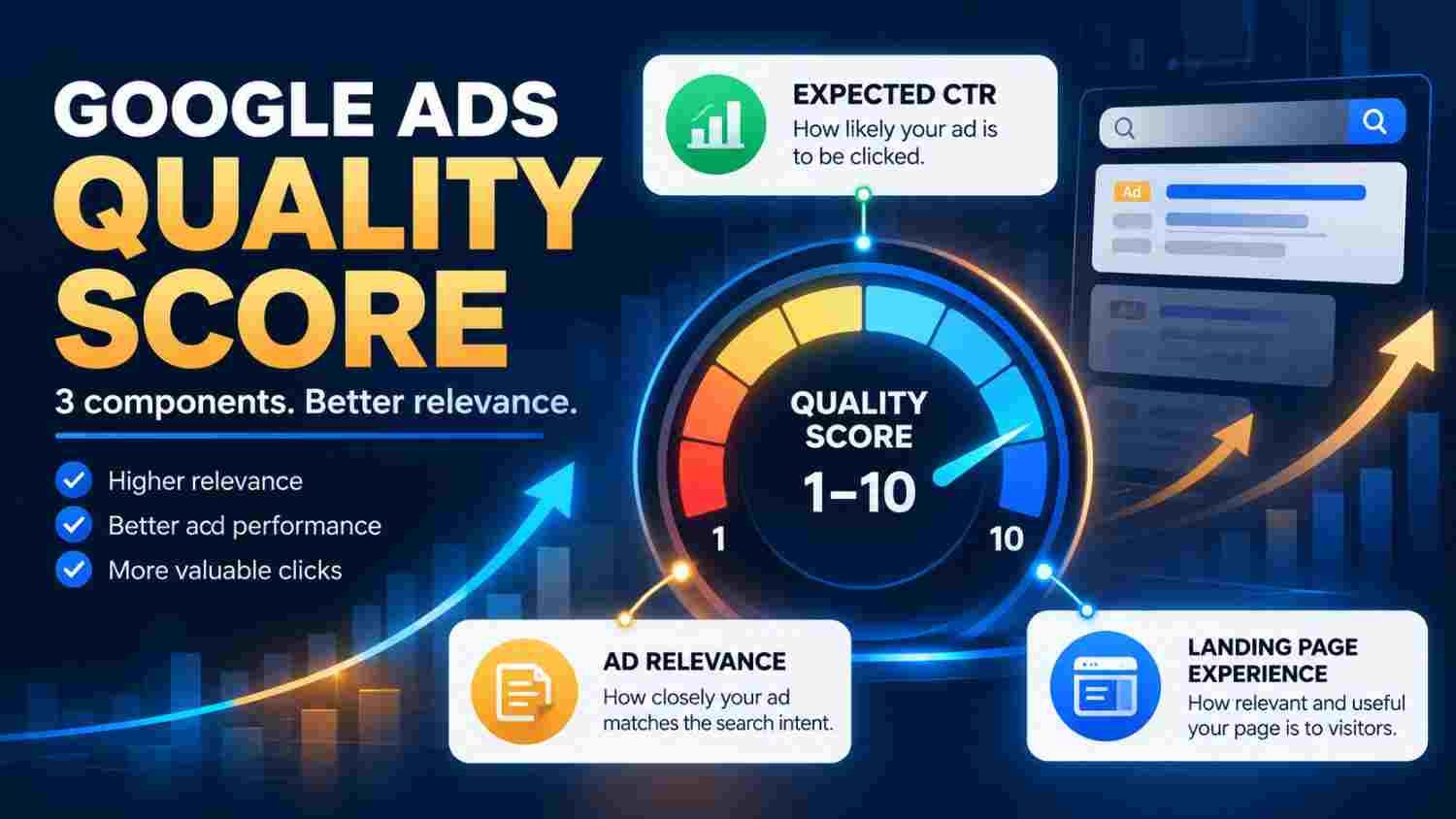
Google Ads Quality Score is a diagnostic rating that helps advertisers understand how relevant and useful their Search ads and landing pages are compared with those of other advertisers. It is measured on a scale from 1 to 10 at the keyword level and is based on three components: expected click-through rate (CTR), ad relevance, and landing page experience.
To improve the areas highlighted by Quality Score, align keywords with relevant ad copy, communicate a clear benefit, and send visitors to useful landing pages that match their search intent. However, Quality Score is a diagnostic tool, not a business-performance metric or a direct input in the Google Ads auction.
Google Ads Quality Score helps diagnose the relevance and usefulness of Search advertising. Each eligible keyword can receive a score from 1 to 10, alongside component ratings of Above average, Average, or Below average. Advertisers can use those ratings to identify opportunities to improve their ads, keyword organisation, and landing pages. The goal should be better advertising experiences and business results, not simply a higher score.
This guide is for small-business owners, PPC specialists, digital marketing managers, and agencies managing Google Search campaigns. Use it when reviewing underperforming keywords, launching a new Search campaign, or diagnosing weak alignment between search terms, ads, and landing pages. It is particularly useful for service businesses, local companies, and e-commerce brands that want to improve ad relevance and landing-page experience while measuring success through qualified leads, conversions, and sales—not the score alone.
Google Ads Quality Score is measured from 1 to 10 at the keyword level.
Its three components are expected CTR, ad relevance, and landing page experience.
You can review each component inside the Google Ads keyword reporting table.
Better keyword grouping, relevant ad messaging, and useful landing pages can address weak components.
Quality Score is not a direct input in the ad auction and should not be treated as a KPI.
Measure qualified leads, conversions, and sales alongside diagnostic scores.
Google Ads Quality Score helps advertisers diagnose how their ads and landing pages compare with other advertisers for relevant searches. It is particularly useful for identifying weaknesses in Search campaigns.
According to Google's official Quality Score guidance for Search campaigns, the score is available at the keyword level and uses a scale from 1 to 10.
Importantly, Quality Score is not the same as Ad Rank. The score itself is not an input in the ad auction. Google's broader assessment of ad quality can affect advertising performance, but advertisers should not assume that raising a diagnostic score automatically improves positions or reduces costs.
For businesses running paid Search campaigns, the practical value is in discovering whether the ad, targeted keyword, and landing page provide a consistent experience.
Google evaluates three components to help advertisers understand where improvements may be needed.
Each component receives a status of Above average, Average, or Below average. Google compares component performance with other advertisers whose ads appeared for the same search over the previous 90 days.
Therefore, use the component ratings to identify potential improvements rather than treating a single score as proof that your campaign is successful or unsuccessful.
You can review Quality Score directly in your Google Ads account. Follow these steps:
Sign in to Google Ads and open the Campaigns section.
Navigate to Keywords in the relevant Search campaign.
Select the columns icon in the keyword reporting table.
Open the Quality Score section under the column settings.
Add Quality Score, Expected CTR, Ad Relevance, and Landing Page Experience.
Apply the settings and review the component ratings for relevant keywords.
Google also provides historical columns for Quality Score and its components. These can help you review changes over a selected reporting period.
For the exact interface instructions, see Google's guide to checking Quality Score.
If a keyword displays a dash instead of a score, there may not be enough relevant historical search data to calculate it. That does not automatically mean the keyword or campaign is performing poorly.
The best approach is to identify the weakest component first and make changes that improve the user's experience. Google's five ways to use Quality Score to improve performance provide useful guidance.
Ad relevance can suffer when an ad group contains unrelated keywords that cannot be addressed effectively by the same message.
For example, a web development company might target searches for business websites, e-commerce stores, and mobile applications. Although these services belong to the same business, each represents a different customer need.
Instead of sending every search to a generic ad, organise closely related keywords into meaningful groups. Then write ad copy that describes the specific service, benefit, and next step.
For instance, an ad targeting users who need an online store should communicate e-commerce development rather than simply saying that the company offers digital services.
Also, review actual search terms and remove irrelevant traffic where appropriate. The purpose is to create a closer relationship between what the user searches for and what the ad offers.
Expected CTR estimates how likely an ad is to receive a click when it appears. It is not simply a measure of whether a keyword has a high or low click-through rate in isolation.
To improve the relevance and appeal of your ads:
Describe the service or product clearly.
Highlight a genuine benefit that matters to the intended customer.
Use a call to action that matches the landing page.
Make important details easy to understand.
Test different messages while monitoring meaningful business results.
For example, a business offering website development might test messaging around mobile-friendly websites, custom functionality, or e-commerce capabilities, provided those benefits accurately describe its services.
However, do not chase clicks at the expense of lead quality. A more specific ad may attract fewer visitors but produce more relevant enquiries. Judge performance against the campaign's actual objective.
The destination page should fulfil the expectation created by the ad. When a visitor clicks an ad for a particular service, they should be able to find information about that service without searching through unrelated content.
Start by checking these areas:
Message consistency: The page should clearly explain the offer described in the ad.
Useful content: Include relevant service information, important details, and answers to common customer questions.
Navigation: Make it easy for visitors to understand the page and complete the intended action.
Mobile usability: Check that the page works well on smaller screens and that forms are easy to complete.
Loading performance: Review the page's loading behaviour and fix unnecessary delays where possible.
Google's official landing page guidance identifies information usefulness, relevance, navigation, and user expectations as important aspects of landing page experience.
Remember, you do not need to repeat the exact keyword unnaturally throughout the page. Prioritise a useful destination that answers the user's underlying need.
Imagine a local digital marketing company running a Search campaign for web development services.
The keyword report shows that one keyword has below-average ad relevance. Instead of immediately increasing the bid or rewriting the entire campaign, the advertiser investigates the issue.
The ad group contains keywords related to both e-commerce websites and general business websites. The existing ad focuses only on general website development, while some searches clearly indicate that users need an online store.
The advertiser separates the relevant keyword themes, creates more specific ad messaging, and directs each ad to an appropriate service page. After collecting enough relevant data, the team reviews the component status alongside clicks, enquiries, and qualified leads.
This process uses Quality Score as a diagnostic signal. It does not assume that one change will guarantee a better score or more sales.
Even experienced advertisers can misinterpret the score. Watch out for these mistakes:
Treating Quality Score as a KPI: It does not replace conversion rate, qualified leads, revenue, or other business metrics.
Assuming a higher score guarantees lower costs: The score itself is not a direct input in the ad auction.
Putting every keyword into one ad group: Different search intents may require different ads and landing pages.
Optimising for clicks alone: More clicks do not necessarily mean more useful enquiries or sales.
Changing match types just to raise the score: Google states that changing keyword match types does not directly change Quality Score.
Ignoring the destination page: Relevant ads can still produce a poor experience if the page is confusing or unrelated.
Expecting immediate changes: Review historical data and performance over an appropriate period instead of concluding a single observation.
The best way to use Quality Score is to identify recurring weaknesses and make evidence-based improvements.
Quality Score can show where the advertising experience may need attention, but it cannot tell you whether your business is profitable.
Pair the diagnostic data with metrics such as:
For example, a keyword with a lower Quality Score may still generate useful customers. Conversely, a keyword with a higher score may produce irrelevant enquiries if the campaign targets the wrong audience.
Therefore, review the complete customer journey. Use the score to find areas worth investigating, then judge your changes by the outcomes that matter to your business.
Effective paid advertising requires relevant keyword targeting, clear ad messaging, well-designed landing pages, and reliable measurement. Quality Score can help identify potential improvements, but campaign decisions should also account for qualified enquiries and business goals.
Tulyarth DigiWeb provides digital marketing services that include Google Ads and PPC management. Explore its digital marketing services in Dehradun to understand the available services.
Businesses comparing advertising channels may also find the Google Ads vs Meta Ads guide for lead generation useful.
Before making campaign changes, identify the weakest component, confirm that the suggested improvement addresses a real issue, and monitor relevant performance data. You can also learn about Tulyarth DigiWeb to understand more about the company.
When you are ready to discuss your advertising objectives, contact Tulyarth DigiWeb about your digital marketing requirements.
Google Ads Quality Score is a useful diagnostic tool for understanding expected CTR, ad relevance, and landing page experience in Search campaigns. By reviewing these components, advertisers can identify opportunities to improve keyword organisation, ad messaging, and landing pages.
Nevertheless, the score should not become the campaign's main objective. A higher number does not guarantee lower costs, better positions, or more sales. Instead, use the diagnostic ratings to guide improvements and measure whether those changes contribute to relevant traffic, qualified leads, and real business outcomes.
You may also find these articles helpful: