
Why Is My Website Getting Impressions but No Clicks? 10 Reasons & Fixes
- Home
- Why Is My Website Getting Impressions but No Clicks? 10 Reasons & Fixes
Published: September 15, 2026
Last Updated: September 15, 2026
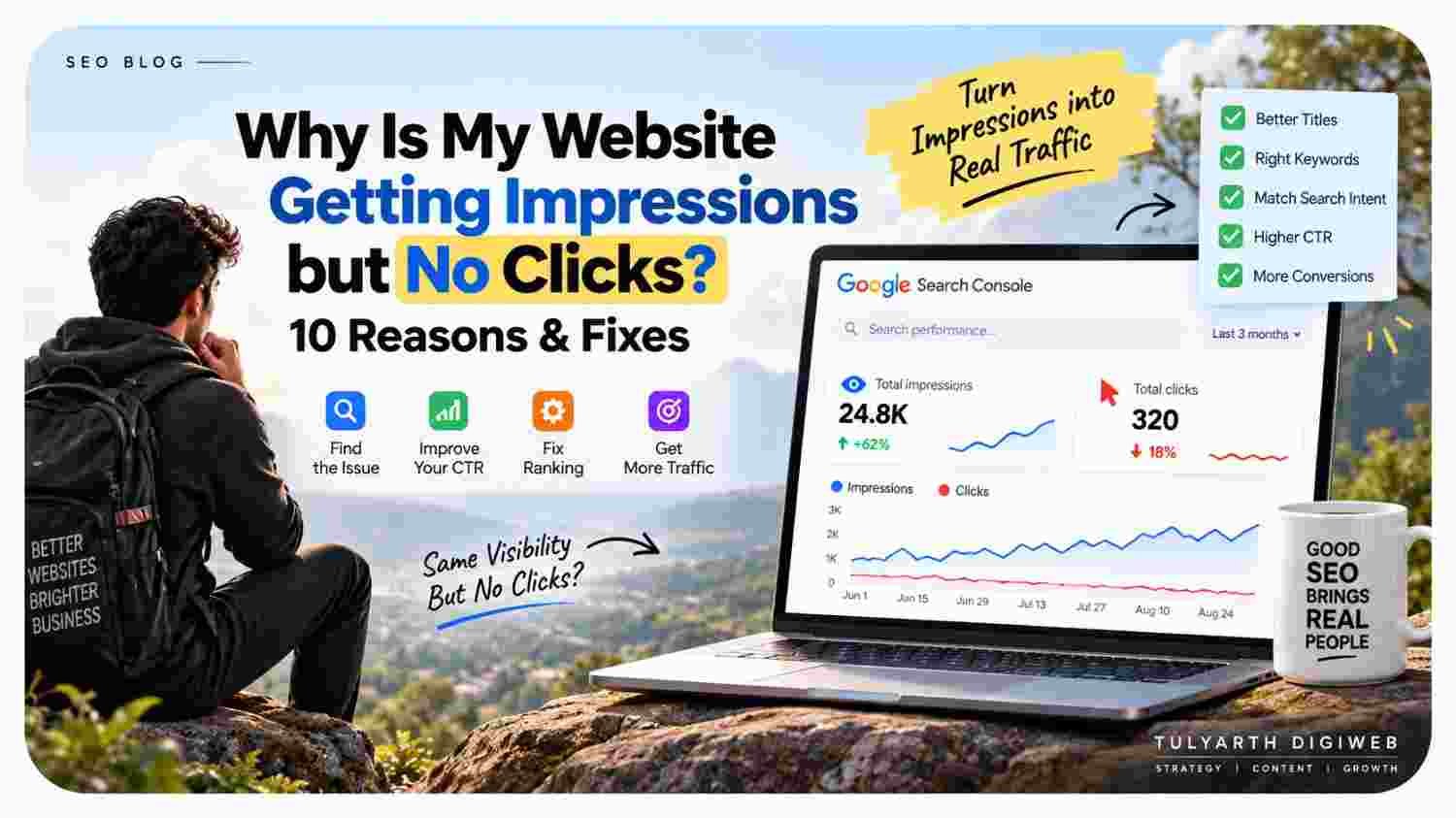
Website impressions but no clicks usually mean that your pages are appearing in Google Search, but users are not selecting your results often enough. This can happen because of low rankings, weak titles, mismatched search intent, low click-through rate (CTR), or pages appearing for queries that do not closely match your content.
Google Search Console reports impressions, clicks, CTR, and average position to help website owners understand how their pages perform in Search.
Having impressions is still a useful signal. It means Google is showing your website for relevant or partially relevant searches. The next step is to identify why those impressions are not turning into clicks.
A website can get impressions without many clicks when its pages rank too low, target the wrong search intent, have weak search-result titles, or compete against more attractive results on the same Google page.
To diagnose the problem, open Google Search Console and check:
Queries → Impressions → Clicks → CTR → Average Position → Pages
Google specifically recommends using the Performance report to identify pages with low CTR and then reviewing titles, descriptions, and content alignment.
Impressions mean your website is appearing in Google Search; they do not guarantee traffic.
Low rankings are one of the biggest reasons impressions do not become clicks.
A high-impression, low-CTR query deserves closer analysis.
Your title should clearly communicate what the page offers.
Search intent must match the content behind the result.
Meta descriptions can help users understand the page, although Google may generate a different snippet.
Search Console should be analyzed by both query and page, not only at the website level.
Improving an existing page can be more useful than publishing another article targeting the same intent.
Before fixing the issue, understand the three main metrics.
Google explains that Search Console's Performance report lets you analyze these metrics by queries, pages, countries, devices, and other dimensions.
For example, suppose a page gets:
10,000 impressions + 50 clicks
Its CTR is only 0.5%.
That does not automatically mean the page is bad. The next question is:
Where is the page ranking, and for which queries?
There are several possible reasons. Here are the ten most important ones to investigate.
This is often the first thing to check.
A page can receive impressions even when it ranks far below the first few results. However, visibility does not mean prominent visibility.
For example, appearing on page three can generate impressions when users reach that part of the results, but it is unlikely to produce the same number of clicks as a result near the top.
Google also notes that Search Console's average position is an aggregated metric and may not match the position you personally see for one search.
What to do:
Check the query's average position in Search Console. If important keywords are ranking outside the stronger positions, improve the page's relevance, content quality, internal linking, and authority instead of focusing only on the snippet.
Sometimes Google ranks a page for queries that were not the main target.
For example, imagine you have a page about:
Social Media Marketing Services
but it starts receiving impressions for a broad query such as:
digital marketing courses
The page may gain impressions but very few clicks because the user wants something completely different.
What to do:
Open the page in Google Search Console and review the Queries tab. Check whether the search terms actually match the purpose of the page.
Google recommends examining queries and the pages shown for specific searches when evaluating Search performance.
Your title is one of the first things a searcher sees.
A technically optimized page can still receive fewer clicks if its title is vague, repetitive, or fails to communicate the benefit of visiting the page.
Compare:
Digital Marketing Services
with:
Digital Marketing Company in Dehradun: Services, Process & Benefits
The second title gives the user more information about what to expect.
However, avoid adding exaggerated claims just to attract clicks. A title should accurately represent the page.
Google's documentation explains that title links help users decide which search result to select.
What to do:
Review high-impression, low-CTR pages and ask:
Does the title clearly describe the page?
Does it match the query?
Is the main benefit obvious?
Is the wording unnecessarily generic?
This is one of the most important problems to fix.
Searchers can have different goals:
Learn something
Compare options
Find a service
Buy a product
Find a specific website
Solve a problem
Suppose someone searches:
website development cost in India
but your page is mainly a generic introduction to website design.
Google may still show your page because parts of the topic are relevant. However, the searcher may skip it because it does not satisfy the actual question.
What to do:
Look at the pages ranking above you.
Then ask:
What are those pages answering that mine does not?
Do not blindly copy them. Instead, identify the dominant intent and make your page satisfy it more completely.
A meta description can help users understand what a page covers. However, Google may generate a different search snippet depending on the query and page content.
Therefore, writing a meta description alone will not guarantee a higher CTR.
Still, it is worth making the description clear and relevant.
For example:
Weak:
Professional digital services for businesses.
Better:
Compare digital marketing strategies, services, costs, and selection factors for businesses looking to grow online.
The second gives the searcher a clearer reason to investigate the page.
Broad keywords can generate large impression numbers without producing many clicks.
For example:
SEO
is much broader than:
SEO company in Dehradun
The first query can have enormous competition and many different interpretations. The second has much clearer intent.
Therefore, do not automatically assume that the page with the highest impressions is your best SEO opportunity.
What to do:
Prioritize queries where:
The search intent matches your page
Impressions are meaningful
Average position is improving
The keyword is relevant to the business
Clicks can realistically become useful traffic
Your page may be relevant but still less useful than competing results.
Look at the pages ranking above you.
Check:
Content depth
Original examples
Page structure
Clarity
Updated information
Internal links
Supporting resources
Visual elements
Trust signals
The solution is not to add unnecessary words. Instead, make the page more useful for the actual searcher.
Google's guidance emphasizes creating helpful, reliable, people-first content rather than content created primarily to manipulate rankings.
This can happen when multiple pages cover very similar topics.
For example, imagine you have:
Digital Marketing Company in Dehradun
Best Digital Marketing Company in Dehradun
Digital Marketing Services in Dehradun
How to Choose a Digital Marketing Company in Dehradun
If these pages target overlapping intent without clear differentiation, Google may choose a different URL than the one you expected.
That can create confusing Search Console data.
What to do:
In Search Console, click the query and then open the Pages tab to see which URLs Google is showing for that search. Google specifically provides this workflow for investigating queries and their ranking pages.
Then determine which page should be the primary page for that keyword cluster.
Google Search can contain more than standard blue links.
Depending on the query, users may see:
Featured snippets
Images
Videos
Maps
Shopping results
Knowledge panels
Other search features
These elements can change how users interact with the page.
So, a page can have impressions but fewer clicks than you expected because the search results themselves provide information or competing options before a user reaches your organic result.
Google's Search Console documentation recognizes multiple search result formats and explains that performance data can include different result types.
What to do:
Search the important keyword manually and study the actual SERP.
Do not optimize the page based only on a keyword tool.
Website-wide numbers can hide the real opportunity.
Suppose your website gets:
50,000 impressions
That number alone tells you very little.
One page may have a strong CTR. Another may have thousands of impressions and almost no clicks.
Google Search Console lets you switch between dimensions such as Queries and Pages, which makes this analysis more useful.
What to do:
Analyze the data at page and query level.
Find the pages that have:
High impressions + low CTR + relevant keywords + realistic ranking potential
Those pages are often better optimization candidates than pages with almost no impressions.
You can identify these opportunities directly in Search Console.
Go to:
Google Search Console → Performance → Search Results
The Performance report provides clicks, impressions, CTR, and average position data.
Review your pages and compare their:
Impressions
Clicks
CTR
Average position
Look for pages receiving substantial visibility.
Now identify pages with high impressions but unusually low CTR.
Click the URL and inspect its query data.
Find which search terms generate the impressions.
Ask whether the page actually answers those searches.
Search the important query and compare your result with the pages above it.
Improve the page based on evidence rather than changing everything at once.
Compare performance after giving Google enough time to collect meaningful data.
Google recommends focusing on trends and using Search Console data to identify pages and queries that need improvement.
Do not change ten things at the same time.
Use this priority order:
This is more reliable than judging SEO performance from CTR alone.
Google itself recommends looking at clicks and impressions alongside position and query/page data rather than relying on a single metric.
When website impressions but no clicks continue, check the page's average position, search intent, title, and competing search results.
Once you understand why the page is underperforming, test improvements that match the problem.
Make the title specific, accurate, and useful.
Make sure the page answers the reason behind the query.
Tell visitors quickly what the page provides.
Remove unnecessary information and add missing answers.
Highly broad keywords may generate impressions without meaningful traffic.
Use relevant anchor text from related pages.
Study what users can currently see in the SERP.
Do not assume an improvement worked immediately. Compare performance over a suitable period.
Google's Search Console guidance specifically suggests reviewing titles, descriptions, and content when a page has low CTR.
It can help, but it is not a guaranteed fix.
Google may use the page's meta description, but it can also generate a snippet from the visible page content when that better matches a particular query.
Therefore, your main focus should be:
Relevant page → correct search intent → strong title → useful content
The meta description should support that strategy rather than replace it.
There is no universal CTR target that applies to every website or keyword.
CTR varies based on:
Search position
Query type
Device
Industry
Brand recognition
SERP features
Search intent
Competition
Therefore, comparing your CTR against an arbitrary industry number can be misleading.
A better approach is to compare:
Your page now vs. your page previously
and
Your page vs. similar queries and pages on your site.
Search Console provides CTR data specifically so website owners can identify pages and queries that may need improvement.
Not automatically.
More impressions mean your website is being shown more often. That can create an opportunity for additional traffic, but clicks depend on factors such as position, query relevance, title, search intent, and the rest of the search results.
Think of it as a funnel:
Impression → Visibility → Interest → Click → Visit → Conversion
SEO should therefore aim for relevant visibility, not just the highest possible impression count.
Consider updating the page when:
Impressions are consistently meaningful
The query is relevant to your business
CTR is weak compared with similar pages
The page is ranking but not attracting expected traffic
The search intent has not been fully satisfied
Competitors have stronger results
However, avoid making constant changes every few days. Give the page enough time to generate useful performance data before deciding whether the change worked.
So, why is your website getting impressions but no clicks?
Usually, the problem is not simply that Google does not like the page. More often, the page is appearing for queries where its ranking position, search intent, title, content relevance, or SERP competition is limiting clicks.
The good news is that impressions are still useful. They show that Google is already giving your website some visibility.
Use Google Search Console to identify:
Which pages are getting impressions → Which queries trigger them → Where they rank → What their CTR looks like → Why users may choose another result.
Then make focused improvements instead of randomly changing the page.
Google's own Search Console guidance recommends using query and page data to identify low-CTR opportunities and focusing on trends in impressions and clicks rather than relying only on average position.
For businesses that need help turning search visibility into stronger organic performance, you can explore Tulyarth DigiWeb's digital marketing services in Dehradun.
You can also learn more about Tulyarth DigiWeb or contact Tulyarth DigiWeb about your SEO requirement.
You may also find these articles helpful:
How Long Does SEO Take to Show Results in Google? A Realistic Timeline
Business Automation Software: What Can You Automate and Why Does It Matter?