Business Automation Software: What Can You Automate and Why Does It Matter?
- Home
- Business Automation Software: What Can You Automate and Why Does It Matter?
Published: September 10, 2026
Last Updated: September 10, 2026
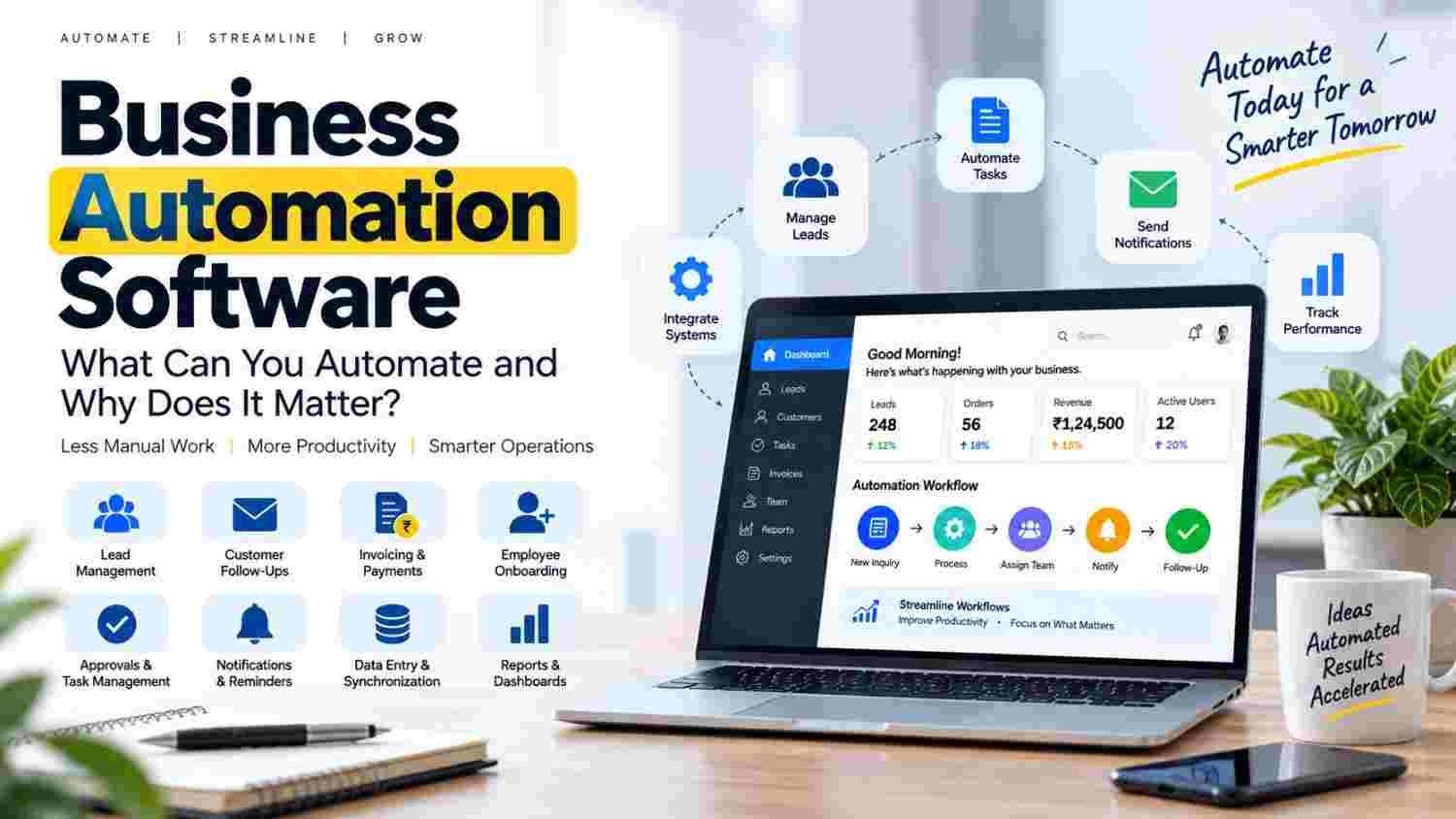
Business Automation Software helps businesses automate repetitive tasks, connect workflows, reduce manual work, and manage daily operations more efficiently. Common uses include lead management, customer follow-ups, approvals, invoicing, notifications, reporting, data entry, and system integration.
Instead of employees repeatedly moving information between spreadsheets, emails, forms, and business applications, automation software can perform predefined actions based on specific triggers and rules.
Business automation software uses technology to automate predefined business tasks and workflows. A workflow starts with a trigger and then performs one or more actions based on rules.
For example, when a customer submits a website form, automation can capture the lead, save the details in a CRM, notify the sales team, and create a follow-up task.
As a result, businesses can reduce repetitive work while keeping processes more organized and consistent.
Automate repetitive and rule-based business processes.
Reduce manual data entry and routine coordination.
Connect websites, CRM systems, payment tools, and other applications.
Improve workflow consistency and visibility.
Start with simple, high-value processes before expanding.
Use custom automation when standard tools cannot fit unique workflows.
Include security, permissions, testing, and reporting in the implementation plan.
Business Automation Software is technology that helps businesses automate repeatable tasks and processes.
Instead of employees manually completing every step, software performs predefined actions when specific conditions are met.
A manual workflow may look like:
Customer inquiry → Employee checks email → Data entry → Sales notification → Follow-up
An automated workflow can look like:
Customer inquiry → Lead captured → CRM updated → Sales notification → Follow-up task
The goal is not to remove people from every process. Instead, automation handles predictable work so employees can focus on decisions, customer communication, and higher-value activities.
Business process automation means using technology to streamline a business process through predefined workflows, rules, triggers, and actions.
It can be used across:
Sales
Customer service
Finance
HR
Marketing
Operations
Administration
Business process automation software is especially useful when a task happens frequently, follows clear rules, and requires repeated manual effort.
Most automated workflows follow four basic elements:
Trigger: Something happens, such as a new form submission.
Condition: The system checks predefined rules.
Action: The software performs a task.
Result: The workflow moves to the next step or sends a notification.
For example:
New lead → Check details → Assign salesperson → Send notification → Schedule follow-up
This creates a repeatable workflow that can be monitored and improved.
Businesses can automate lead capture, assignment, CRM updates, notifications, and follow-up reminders.
For example, a website inquiry can automatically create a CRM record and notify the appropriate salesperson.
Automation can create reminders or trigger suitable messages after an inquiry, purchase, appointment, or other customer event.
Therefore, teams can maintain consistent follow-up processes without relying entirely on manual reminders.
Businesses can automate invoice notifications, approval requests, payment-status updates, and record changes.
However, sensitive financial actions should still use suitable permissions and validation.
HR teams can create workflows for document collection, account setup, department notifications, training tasks, and approvals.
A request can automatically move from one employee or department to another.
For example:
Employee request → Manager approval → Finance approval → Final confirmation
Automation can notify employees when:
A new lead arrives
A task becomes overdue
A document is approved
An order changes status
A payment is completed
Businesses often use multiple applications. Automation can reduce repeated data entry and transfer information between compatible systems.
Automated workflows can collect operational information and organize it for reports.
Businesses can monitor leads, orders, tasks, payments, and other important activities more efficiently.
Software can handle predictable tasks that employees otherwise repeat every day.
A predefined workflow can follow the same steps each time. This reduces variation between employees and departments.
Automation can reduce errors caused by repeated data entry and missed routine steps.
However, automation still requires testing and human oversight.
When routine work requires less manual effort, employees can spend more time on sales, customer service, analysis, and decision-making.
Automated processes can make pending tasks, approvals, completed work, and workflow delays easier to track.
As a business grows, manual processes can become difficult to manage.
Well-designed automation can make repeatable workflows easier to scale.
Automation does not mean removing humans from every process.
Instead, a practical workflow combines automation for repetitive tasks with human involvement for decisions and exceptions.
Workflow automation software focuses on automating a sequence of tasks within a business process.
For example:
New lead → Data capture → Assignment → Notification → Follow-up
Business automation is broader. It can include multiple automated workflows across sales, finance, HR, operations, and customer service.
API integration can connect different applications so information can move between them.
For example:
Website → API → CRM → Notification System
A website form can send customer information to a CRM. Another system can then trigger a notification or create a task.
If you want to understand this connection in more detail, see our guide to API Integration in Web Development.
The right features depend on the workflow. However, useful business automation solutions may include:
Workflow builder
Third-party integrations
User roles and permissions
Notifications and reminders
Reports and dashboards
Audit trails
Data validation
Security controls
Scalable architecture
Custom workflow options
A good solution should fit the actual business process instead of forcing the company to redesign every workflow around the software.
Custom business automation software is built around a company's specific processes, rules, integrations, and reporting requirements.
It can be useful when:
Standard tools cannot support the workflow.
Multiple systems need custom integration.
The company has unique approval rules.
Custom dashboards are required.
Specific user permissions are needed.
Business processes are expected to change.
Custom development provides flexibility. However, it also requires planning, development, testing, maintenance, and support.
For businesses needing broader custom development, explore Tulyarth DigiWeb's web application development services.
There is no fixed cost for business automation software.
The cost depends on factors such as:
Number of workflows
Number of users
Required integrations
Custom features
Security requirements
Data migration
Hosting
Testing
Maintenance and support
A simple notification workflow usually requires less development than a custom system connecting CRM, accounting, payment, reporting, and internal applications.
Therefore, businesses should define their requirements before comparing costs.
Before selecting business automation tools, consider these questions:
Which process takes the most manual time?
How often does the process occur?
Does it follow clear rules?
Which applications need to exchange data?
What user permissions are required?
How will success be measured?
Can the solution support future growth?
What security and maintenance requirements apply?
The best solution is one that solves a clear operational problem without creating unnecessary complexity.
Start with processes that are:
Repetitive
High-volume
Time-consuming
Rule-based
Error-prone
Easy to measure
Good starting points include lead notifications, follow-up reminders, approval workflows, data synchronization, invoice alerts, and routine reporting.
On the other hand, avoid automating complex decisions before the underlying process is clearly defined.
Automation cannot fix an unclear or unnecessarily complicated workflow. Improve the process first.
Start with one or two valuable workflows. Then test them before expanding.
If systems cannot exchange required information, employees may still need manual workarounds.
Automation may process customer, financial, employee, or business data. Therefore, appropriate access controls and security practices are important.
Some tasks require judgment or exception handling. Keep human review where it adds value.
Set clear goals before implementation. Track factors such as processing time, manual steps, response time, or completed tasks.
Yes. Automation software for small businesses can help reduce repetitive work without requiring a large enterprise system.
For example:
Website inquiry → Lead notification → CRM entry → Follow-up reminder
Starting with one focused workflow makes automation easier to manage. Later, successful workflows can be expanded to other areas.
A business should consider custom automation when existing software cannot properly support its workflows, integrations, business rules, dashboards, or user permissions.
Custom automation can be especially useful when the business has unique processes or needs several systems to work together.
You can also learn more about Tulyarth DigiWeb before discussing your software requirements.
A practical implementation process is:
Map the current process.
Identify repetitive tasks.
Define the business goal.
List required integrations.
Design triggers, actions, conditions, and approvals.
Build or configure the solution.
Test normal and exception cases.
Launch gradually.
Measure the results.
Improve the workflow as requirements change.
This approach helps businesses focus on processes that can provide practical value instead of automating tasks without a clear purpose.
Business Automation Software can help businesses reduce repetitive work, improve consistency, connect applications, and manage workflows more effectively.
The best results come from automating the right processes rather than trying to automate everything.
First, identify a clear business problem. Next, choose a measurable workflow. Finally, select technology that fits the process.
For simple requirements, existing automation tools may be enough. However, businesses with unique workflows, integrations, or reporting requirements may benefit from custom business automation software.
If you have a specific automation requirement, contact Tulyarth DigiWeb to discuss your project.