How to Publish an App on Google Play Store: Complete Guide
- Home
- How to Publish an App on Google Play Store: Complete Guide


Published: August 10, 2026
Last Updated: August 10, 2026
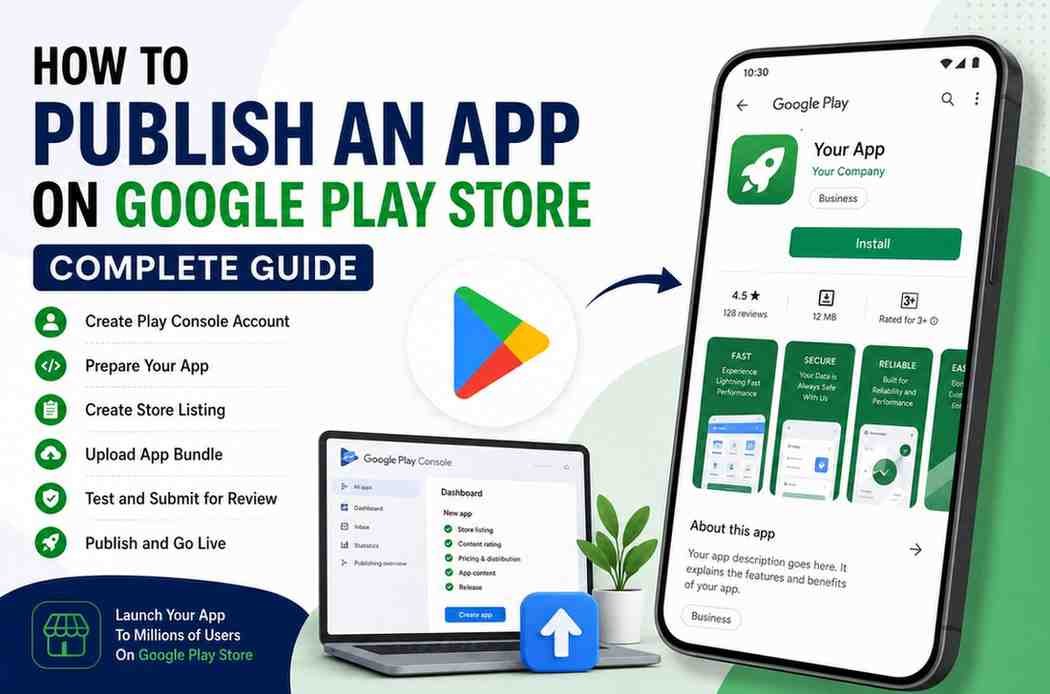
Publishing an Android app is easier when you understand the process before you start. If you want to know how to publish an App on Google Play Store, you need to create a Google Play Console account, prepare your app and store listing, complete the required information, test the app, and submit it for review. Google also has specific requirements for newer personal developer accounts, so checking the latest rules before submission is important.
This guide explains the Google Play app submission process step by step so you can understand what you need before launching your Android app.
To publish an app on Google Play Store, create a Google Play Console developer account, complete your developer verification, create your app, prepare its store listing and required policy information, upload the appropriate app release, complete testing requirements where applicable, and submit the app for Google review. Once approved, you can release it through the Production track.
Google currently requires a US$25 one-time registration fee for a Play Console developer account.
If you are wondering how to upload an App to Google Play Store, the process is not simply uploading an APK and clicking publish. You need to prepare the app, store listing, privacy information, data safety details, testing, and other required information before requesting publication.
For new personal developer accounts created after November 13, 2023, Google requires a closed test with at least 12 testers who remain opted in for at least 14 continuous days before production access can be requested.
Before starting the Android app publishing process, prepare the following:
A finished Android app
A Google Account
A Google Play Console developer account
Your developer information
App name
App description
App icon
Screenshots
App category
Privacy policy
Data safety information
App release file
Testing plan
Contact information
Google requires developers to provide accurate account and app information. Depending on the account type, this can include legal information, address, phone number, email, and identity verification.
The first step in How to Publish an App on Google Play Store is creating your developer account.
You need to register through Google Play Console. Google states that developers must be at least 18 years old to register an account.
The registration process includes:
Sign in with your Google Account.
Register for Play Console.
Accept the Developer Distribution Agreement.
Provide the required developer information.
Pay the one-time registration fee.
Complete any required verification.
Google currently lists the registration fee as US$25 one-time.
Google Play Console official guide
After creating your developer account, open Play Console and create your application.
You will need to provide basic information such as:
App name
Default language
App or game selection
Free or paid status
Contact details
Required declarations
Choose the app name carefully because it becomes part of your public store presence.
Also make sure the app category accurately represents what your application does.
Your development team needs to prepare the production version of your application before uploading it.
For Google Play, developers generally use the Android App Bundle, commonly called AAB, for publishing Android applications.
Before uploading the release, check:
App functionality
Login system
Payment features
Push notifications
API connections
Images and icons
Permissions
App security
Performance
Compatibility
A complete technical check can prevent problems during testing and review.
Your Play Store listing is what users see before downloading your application.
It should include:
Keep it clear and relevant.
Explain the main purpose of your app quickly.
Explain the important features, benefits, and use cases.
Use a clear and recognizable icon.
Show the most useful screens of your application.
Select the category that best describes your app.
Provide the required contact details.
A well-prepared listing can also support Play Store listing optimization, because users need to understand your app before deciding whether to install it.
Privacy and data handling are important parts of the Google Play app submission process.
Google's current Play Console requirements state that developers need to provide accurate app information and complete the Privacy Policy and Data Safety requirements before submission.
Your Data Safety information should accurately describe how your app collects, shares, or handles user data.
Do not guess this information.
Review the actual behavior of your application and the third-party SDKs used inside it before completing the form.
Testing is one of the most important steps when you Publish Android App.
Google provides several testing tracks:
For newly created personal developer accounts, Google currently requires a closed test involving at least 12 testers for 14 continuous days before production access can be requested.
This requirement is particularly important for developers creating a new personal account.
Now you can upload your release through Play Console.
The basic process involves:
Open your application in Play Console.
Go to the relevant testing or production section.
Create a release.
Upload your app bundle.
Review the release information.
Resolve any warnings or errors.
Save the release.
Complete the required declarations.
Google explains that the Production track is where an approved app becomes available to users in the selected countries or regions.
After completing the required information and testing, submit your app for review.
Google checks applications against its developer policies and technical requirements.
The review process can vary. Google notes that certain developer accounts may experience longer review periods, with reviews sometimes taking up to seven days or longer in exceptional circumstances.
Therefore, do not plan a major app launch around an assumed exact review time.
Once your application is approved and you have production access, you can roll out your release.
Your app can then become available to Google Play users in the countries or regions you selected.
Google identifies Production as the status where an app is available for download to Google Play users in the chosen distribution locations.
Congratulations. Your Android app is now ready for users.
There is no single guaranteed review time for every application.
Some submissions can move through review relatively quickly, while others can take longer depending on the account, application, and review requirements.
If Google requests additional information or identifies an issue, you may need to make changes before your app can be approved.
For that reason, prepare your application carefully instead of assuming that submission automatically means publication.
An app can face problems if it does not meet Google Play requirements.
Common issues can include:
Policy violations
Incorrect Data Safety information
Privacy problems
Misleading store information
Broken functionality
Poor user experience
Inappropriate permissions
Missing information
Problems with third-party content
Testing or account requirements not being completed
Always review the current Google Play policies before submitting your application.
Yes. Businesses can publish Android applications through Google Play.
If you are building an app for a company, selecting the right account structure and completing the required organization information is important. Google provides both Personal and Organization developer account types, with additional verification requirements for organizations.
If you need professional assistance with planning, designing, or developing an Android application, working with a Best App Development Company in India can make the process easier.
A professional Mobile App Development Company in India can help with application development, testing, API integration, store preparation, and post-launch improvements.
Before submitting your app, check this list:
Publishing is only one part of launching a successful application.
You also need reliable development, testing, UI design, backend integration, and ongoing improvements.
If you are planning a new Android application, a Best App Development Company in India can help you move from an initial idea to a production-ready application. Tulyarth DigiWeb also provides website and digital solutions for businesses that want to build a stronger online presence.
Learn more about Tulyarth DigiWeb on our About Us page.
If you are ready to discuss your application idea, development requirements or digital strategy, you can Contact Us.
Learning how to publish an App on Google Play Store is much easier when you follow the process step by step. Start by creating your Play Console account, prepare your Android App Bundle, complete your store listing, provide accurate privacy and Data Safety information, test the application, and submit it for review.
However, publishing should not be treated as the final step. After launch, monitor user feedback, app performance, crashes, reviews, and future updates. A successful application needs continuous improvement after it reaches the Play Store.
If you need professional App Development Services in India, Android App Development Company in India, iOS App Development Company in India, or Flutter App Development Company in India, choosing an experienced development partner can help you build and launch your application more efficiently.