Best SEO Tools for Beginners: 15 Free Tools to Improve Your Website in 2026
- Home
- Best SEO Tools for Beginners: 15 Free Tools to Improve Your Website in 2026

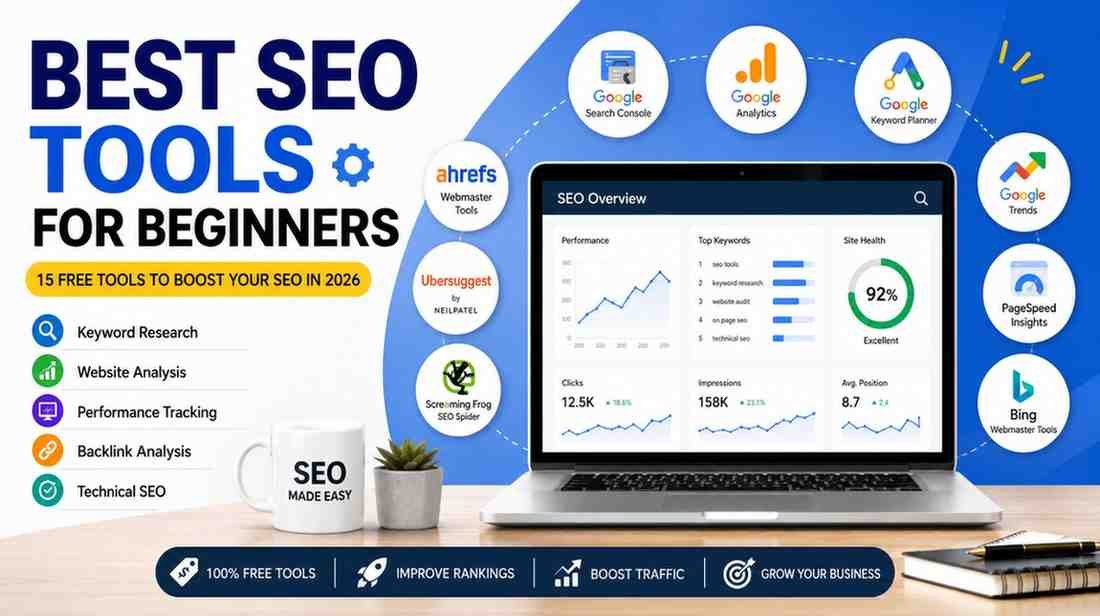
If you are a beginner in SEO, choosing the right SEO tools can help you optimize your time and make the right SEO decisions so that you can achieve excellent results. The Best SEO Tools for Beginners can help you target keywords, audit your site, track rankings, and boost your website organically and for free. Whether you have a business website, a blog, or client websites to work on, you will benefit from using these Best SEO Tools for Beginners. In this post, I will introduce you to the Best SEO Tools for Beginners and tell you how they can help you.
The Best SEO Tools for Beginners are Google Search Console, Google Analytics, Google Keyword Planner, Google Trends, Google PageSpeed Insights, Bing Webmaster Tools, Ubersuggest, Ahrefs Webmaster Tools, Screaming Frog SEO Spider. I recommend using these free of charge tools for keyword research, tracking website statistics, analyzing pages, and finding out how to increase your authority in the organic search results.
If you are just starting with SEO, it is recommended to begin with Google Search Console, Google Analytics, Google Keyword Planner, and Google PageSpeed Insights. These are the most popular and highly demanded tools that offer a reliable insight into the functioning of the website, keyword performance, indexation, and user behavior. As your SEO efforts develop, you can add more tools to your list and expand your knowledge.
I think that free SEO tools are enough for learning and implementing the basic principles of SEO.
In my opinion, keyword research and technical SEO are the two most important areas that need to be worked on.
Using Google’s free resources is an excellent idea because it provides credible information directly from Google.
Moreover, using the right tools for specific tasks will allow you to improve your website and its SEO dramatically. On the other hand, one should not try to use every tool available but first learn how to use them.
SEO is a multifaceted and involved process that includes keyword research, technical optimization, website analysis, performance tracking, and other aspects. Manually dealing with each of these points is an exhausting and time-consuming process.
The SEO Tools for Beginners make the process easier by compiling all of this information in a more accessible format.
These tools help you:
Find better keywords
Monitor website traffic
Detect SEO errors
Improve website speed
Analyze competitors
Optimize content
Track indexing status
As a result, you can make smarter decisions instead of relying on guesswork.
According to Google Search Central, websites need to be consistently monitored in terms of indexing, technical issues, and Core Web Vitals.
In addition, Google suggests using Search Console to audit the site’s performance within its search engine and recognize the opportunities to improve the presence in its search results.
The said suggestions highlight the importance of SEO tools for any site owner.
Google Search Console is one of the most valuable Website SEO Analysis Tools available today.
It helps you:
Monitor keyword performance
Check indexing status
Identify crawl errors
Submit XML sitemaps
Monitor Core Web Vitals
Discover pages with low performance
Every website owner should connect their website to Google Search Console before starting any SEO work.
Google Analytics helps you understand how visitors interact with your website.
You can monitor:
Traffic sources
User behavior
Bounce rate
Engagement
Conversions
Top-performing pages
When used together with Search Console, it provides a complete picture of your website's performance.
Finding the right keywords is one of the most important parts of SEO.
Google Keyword Planner helps beginners:
Discover keyword ideas
Estimate search volume
Understand keyword trends
Plan content topics
It is one of the most trusted Free Keyword Research Tools for Beginners because the data comes directly from Google.
Google Trends shows whether a topic is becoming more or less popular over time.
You can compare multiple keywords and identify seasonal trends before creating content.
This tool is especially useful when planning blogs and identifying trending search topics.
Website speed affects both user experience and SEO.
Google PageSpeed Insights analyzes your website and provides recommendations to improve loading performance.
It evaluates:
Largest Contentful Paint
Interaction to Next Paint
Cumulative Layout Shift
Mobile performance
Desktop performance
It is one of the most useful Free Website SEO Tools for improving technical performance.
Although Google dominates search, Bing Webmaster Tools provides additional SEO insights.
It offers:
Site scanning
SEO reports
Keyword information
Crawl analysis
Backlink reports
Many beginners overlook this tool, yet it provides valuable technical SEO information.
Ubersuggest is a beginner-friendly SEO platform that offers both free and paid features.
It helps you:
Find keyword ideas
Analyze competitors
Discover content opportunities
Track rankings
Perform basic SEO audits
For new bloggers and small businesses, it is one of the easiest SEO Tools for Small Business owners to learn.
Ahrefs Webmaster Tools allows website owners to monitor backlinks and technical SEO issues without paying for the full Ahrefs subscription.
You can:
Monitor backlinks
Identify broken pages
Review internal linking
Analyze SEO health
It is one of the most useful Free SEO Audit Tools for Websites available today.
If you want to perform a detailed website audit, Screaming Frog SEO Spider is one of the Best SEO Tools for Beginners to learn early.
The free version allows you to crawl up to 500 URLs, making it suitable for small business websites and blogs.
You can identify:
Broken links
Missing meta titles
Missing meta descriptions
Duplicate content
Redirect chains
Large images
Internal linking issues
Although it looks technical at first, it becomes much easier with practice.
Creating content without understanding what people search for often leads to poor results.
AnswerThePublic helps you discover real questions users ask on Google.
For example, instead of targeting only SEO Tools for Beginners, you can find questions like:
Which SEO tool is best for beginners?
Can beginners learn SEO for free?
Which free SEO tool should I use first?
These ideas help you create content that matches search intent and increases your chances of appearing in AI search results.
SEO Minion is a free browser extension that helps you analyze webpages quickly.
It allows you to:
Check on-page SEO
Preview SERP snippets
Analyze headings
Highlight broken links
Review internal links
It is a lightweight tool that beginners can use without installing complex software.
If your website is built on WordPress, Rank Math can simplify many SEO tasks.
It helps you:
Optimize content
Improve keyword usage
Generate XML sitemaps
Add Schema Markup
Monitor SEO scores
Improve readability
For beginners using WordPress, it is one of the easiest tools to understand.
If you use Schema Markup, you should always validate it before publishing.
Google Rich Results Test checks whether your structured data is eligible for rich results.
It can validate:
FAQ Schema
Article Schema
Organization Schema
Breadcrumb Schema
Local Business Schema
Using this tool helps you avoid implementation errors.
Website speed plays an important role in user experience and search performance.
GTmetrix analyzes:
Loading speed
Page size
Performance score
JavaScript issues
Image optimization
Together with Google PageSpeed Insights, it gives a more complete picture of website performance.
Search engines rely on XML sitemaps to discover important pages.
Before submitting your sitemap to Google Search Console, validate it to ensure it contains no errors.
This simple step helps search engines crawl your website more efficiently.
If you are new to the game, you should not try to use all 15 tools. To start with,
you can use the tools below in the following order:
Google Search Console
Google Analytics
Google Keyword Planner
Google PageSpeed Insights
Google Trends
Once you get comfortable with these tools, then you can move to the next level and start using tools such as Ahrefs Webmaster Tools, Screaming Frog, Ubersuggest, etc.
It is better to be very good at a few digital marketing tools than to know many tools superficially.
SEO tools are not only useful for marketers. They also help business owners make better decisions.
Whether you hire the Best Website Development Company in India, work with an experienced App Development Company in India, or choose SEO Services in India, these tools allow you to understand how your website is performing and where improvements are needed.
Similarly, businesses partnering with a Website Development Company in India can use Google Search Console and PageSpeed Insights to monitor technical improvements after a website launch.
If you are planning a mobile application, a Best App Development Company in India, Mobile App Development Company in India, Android App Development Company in India, or iOS App Development Company in India can also use analytics and performance tools to evaluate user behavior and improve app visibility.
For companies investing in long-term online growth, working with the Best SEO Company in India or a trusted Digital Marketing Company in India becomes more effective when performance is measured using reliable SEO tools rather than assumptions.
No SEO tool can guarantee first-page rankings.
SEO tools provide data, but success depends on how you use that information.
From our experience, businesses that consistently monitor website performance, fix technical issues, publish helpful content, and improve user experience achieve stronger long-term SEO results than businesses that rely only on automated scores.
The best approach is to combine accurate data with practical SEO knowledge.
The Best SEO Tools for Beginners can help you build a strong SEO foundation without spending money on expensive software. Free tools like Google Search Console, Google Analytics, Google Keyword Planner, and Google PageSpeed Insights provide valuable insights for keyword research, technical SEO, website performance, and search visibility. As your knowledge grows, you can explore advanced tools to improve your strategy further.
However, remember that SEO tools only provide data. Your success depends on how you use that data to optimize your website, create valuable content, and improve the user experience. Consistent learning and regular website improvements will always deliver better long-term results than relying on tools alone.
If you need expert assistance with website optimization, technical SEO, or digital growth, learn more about Tulyarth DigiWeb on our About Us page. If you are ready to improve your website's performance and rankings, contact our team through the Contact Us page for a free consultation. Whether you are looking for the Best Website Development Company in India, Best App Development Company in India, SEO Services in India, or a trusted Digital Marketing Company in India, our team is ready to help you achieve sustainable online growth.